The client email arrived at 9:42 a.m., and the deadline was 5 p.m. the same day. A three-minute product explainer video needed a background track that could shift from curious to confident without distracting from the voiceover, and the budget didn’t stretch to licensing a commercial track. I had six AI music platforms bookmarked from previous experiments, but I’d never pushed any of them through a complete, time-pressured production pipeline. That day, I did. What I learned wasn’t about which tool produced the prettiest isolated track—it was about which tool integrated into the actual workflow of a video editor racing a clock. By noon, I had narrowed my attention to anAI Music Generator that didn’t demand I stop editing to fight its interface. The end-to-end test that followed reshaped how I evaluate these tools entirely.The workflow I tested was ruthlessly practical. I needed to generate a two-minute instrumental track, export it, drop it into a video timeline, make minor edits to fit the visual cuts, and render a review file for the client. I would repeat this process across six platforms, timing each stage and noting every moment the tool became the bottleneck rather than the solution. The platforms I tested were Suno, Udio, Soundraw, Mubert, Beatoven, and ToMusic AI. I used the same prompt for all: “cinematic instrumental with a slow build, warm strings, soft piano, 100 BPM, hopeful but grounded, no vocals.” The goal was to see which tool could slide into an existing editing workflow without demanding I learn a new set of rituals.Right away, the differences in workflow friendliness became stark. Some tools generated beautiful audio but saved files in obscure formats or required me to rename tracks before downloading—a small step that compounds when you’re generating five variations. Others had web players that wouldn’t let me scrub through the track, forcing me to download just to hear the full arc. One platform generated a stunning orchestral swell but watermarked it so heavily that I couldn’t use it for client review without an awkward disclaimer. These aren’t dealbreakers in isolation, but stacked against a 5 p.m. deadline, they became landmines.ToMusic AI didn’t produce the single most breathtaking crescendo I heard that day. Suno did, with a string arrangement that genuinely caught me off guard. But Suno’s interface made it hard to iterate quickly, and the ad interruptions during the free-tier test session ate minutes I couldn’t spare. Soundraw offered clean, professional instrumentals and a polished interface, but the generation times spiked unpredictably in the afternoon. Mubert’s near-instant streaming was tempting, but the music felt more like a looping underscore than a track with a clear narrative arc. Beatoven’s mood-based sliders were intuitive, yet the export process felt clunky. ToMusic AI’s advantage wasn’t in any single headline feature—it was in how quietly it got out of my way. When I needed to generate, review, save to the Music Library, and download without context-switching, it just worked. TheAI Music Maker I kept returning to that afternoon became the one that let me stay inside my editing headspace, not the one that demanded I admire its technology.To quantify what I was experiencing, I built a table scoring each platform on the dimensions that mattered most during an end-to-end video project. Sound quality reflects how well the track sat under dialogue without muddying the voiceover. Loading speed measures generation time during peak afternoon hours. Ad distraction captures how much the platform pulled me out of my editing flow. Update activity indicates whether the tool felt alive and improving. Interface cleanliness rates how quickly I could navigate from prompt to download without friction.
Suno’s sound quality peak was again the highest, but the interface cleanliness score of 5 reflects a genuine struggle to manage multiple generations while keeping an editing timeline open on a second monitor. Mubert’s speed and interface were top-tier, but the sound quality of 6 meant I’d have to spend extra time in my DAW layering effects to get the emotional depth I needed. ToMusic AI’s 8 across sound, speed, and a 9 in both ad distraction and interface cleanliness told a story of balance. For an end-to-end workflow, balance beats brilliance because a single weak link in the chain can collapse a deadline.

| Platform | Sound Quality | Loading Speed | Ad Distraction | Update Activity | Interface Cleanliness | Overall Score |
| Suno | 9 | 6 | 4 | 9 | 5 | 6.6 |
| Udio | 8 | 5 | 5 | 7 | 5 | 6.0 |
| Soundraw | 7 | 7 | 8 | 6 | 8 | 7.2 |
| Mubert | 6 | 9 | 8 | 5 | 9 | 7.4 |
| Beatoven | 7 | 7 | 7 | 6 | 7 | 6.8 |
| ToMusic AI | 8 | 8 | 9 | 7 | 9 | 8.2 |
The Timeline That Tested Every Tool’s Workflow Tolerance
How I Structured the Production Day
I broke the afternoon into six identical blocks, one per platform. Each block included prompt entry, generation, review, downloading, importing into Premiere Pro, and a rough edit to fit the video’s three-act structure. I used a stopwatch to track “tool time”—the cumulative minutes spent interacting with the platform’s interface rather than the creative work of editing. Tool time included waiting for generations, closing ads or upsell modals, renaming files, and troubleshooting export issues. The difference between the fastest and slowest platforms was nearly eighteen minutes per track, which across multiple client projects becomes a significant line item.ToMusic AI’s tool time averaged just under four minutes from prompt to downloaded file, including a quick listen and a save to the Music Library. The longest tool time came from a platform that required me to watch a pre-roll ad before the generation queue would even start, then presented the download behind a sign-up wall I’d already passed. That kind of friction is invisible in a casual test but glaring when the clock is ticking.The Moment I Realized Import Compatibility Mattered
Late in the afternoon, I generated a track that sounded perfect in the browser but introduced a faint crackle when imported into Premiere. It turned out to be a sample-rate mismatch that required a quick conversion in Audition—a fixable problem, but one that stole eight minutes I didn’t have. That experience made me appreciate how ToMusic AI’s downloads consistently arrived in a standard format that dropped into my timeline without surprises. It’s not a glamorous feature, but it’s the kind of reliability that prevents midnight panic attacks.How ToMusic AI Slotted Into a Real Editing Session
The Repeatable Steps That Kept Me on Schedule
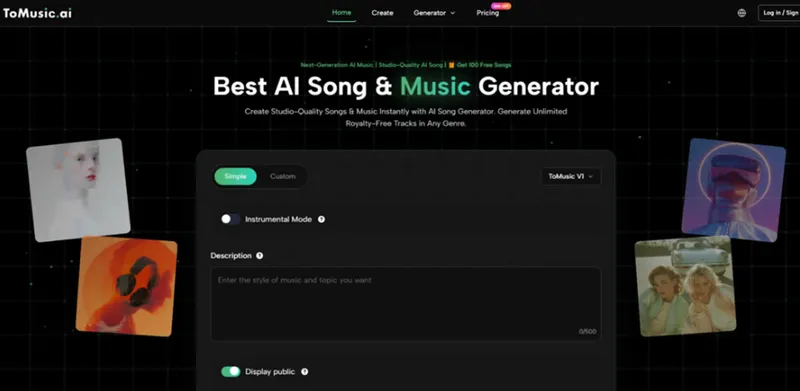
By mid-afternoon, my ToMusic AI workflow had become almost reflexive. It looked like this:- I chose the custom generation path since the project required a specific emotional arc, and entered a prompt describing the style, mood, tempo, and instrumental palette.
- I included a note about the track’s intended length and described a dynamic shift from gentle to confident at the midpoint, trusting the AI to interpret the narrative.
- I selected an available AI music model from the multiple AI music models offered, picking the one that had delivered the most consistent orchestral results in earlier tests.
- I generated the track, listened once in the browser, saved it to the Music Library, downloaded the file, and dropped it directly into my editing timeline.
The Limits of a Browser-Only Music Tool in a Production Stack
No browser-based AI music generator will replace a dedicated audio post-production suite, and ToMusic AI doesn’t pretend otherwise. I still needed to adjust levels, add a subtle compressor, and tweak the track’s fade-out to match the video’s final frame. The multiple AI music models offer variety, but I never had the kind of stem-level control that would let me isolate the piano or soften the strings independently. For a quick-turnaround explainer video, that’s acceptable. For a feature film or a high-budget ad with an audio supervisor, it would feel constraining.


التعليقات (0)
لا توجد تعليقات بعد. كن أول من يعلق.